How to setup Nautilus on multiple computers connected to a LAN
Nautilus can be used in “client-server” mode, meaning that a single database can be shared by multiple computers connected to the same local area network (LAN). The computers must be connected with cables, and not woth wi-fi, as this second choiche does not guarantees the requested performance and can lead to data corruption.
Things to do on the SERVER computer
- Decide which computer to consider as the “server” (the one
that physically contains the database).
Setup Nautilus on this computer, and verify that everything is working as expected and the data that you see is correct.
IMPORTANT NOTE: this computer must always be turned one before all others and shut down after all others
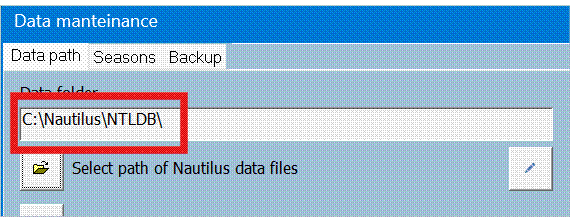
- Open Nautilus, open Diving/Data maintenance, and take note
of the path that contains the database files
·
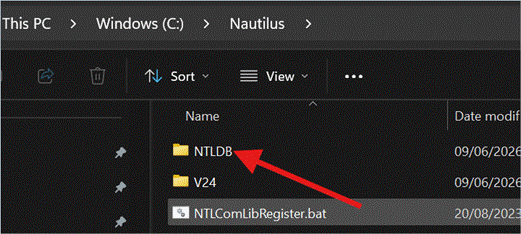
Open File Explorer, navigate to the above mentioned folder, click
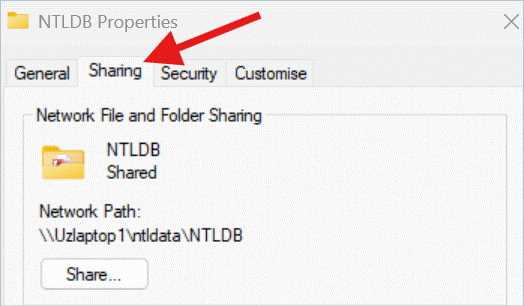
with right button on it, select “Properties” from the drop-down menu, and then
click the “Sharing” tab
·
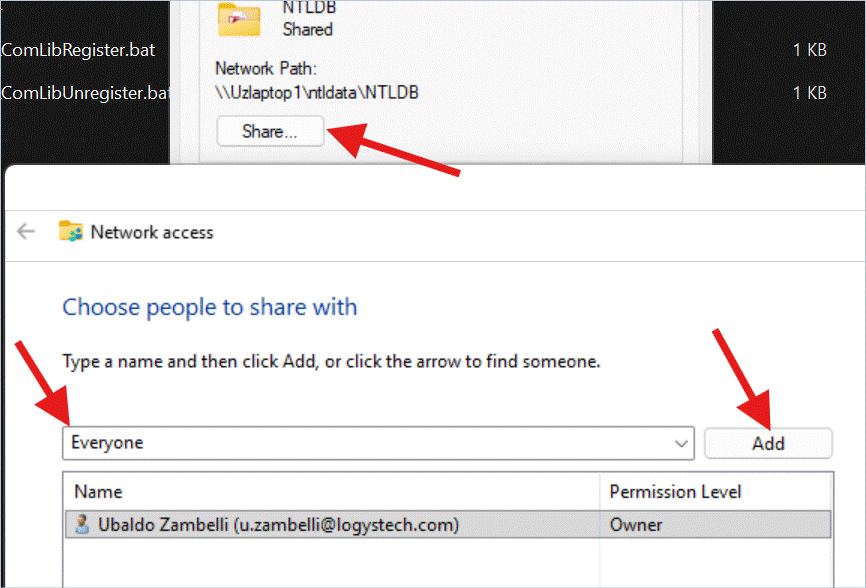
Click the “Share” button, then select the “Everyone” item in the
drop-down list, and click the “Add” button
·
Once that the “Everyone” entry has been added to the list, select
“Read/Write” in the “Permissions” column, and confirm clicking the “Share”
button

·
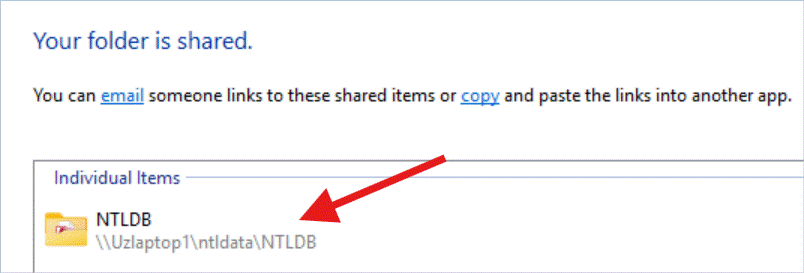
Now you should see which is the network path that can be used to
access this shared folder from other computers (in hour example id: \\Uzlaptop1\ntldata\NTLDB)
Things to do on every CLIENT computer
- Setup Nautilus and open it,
until you can see the main menu page
- Open Diving/Data
maintenance
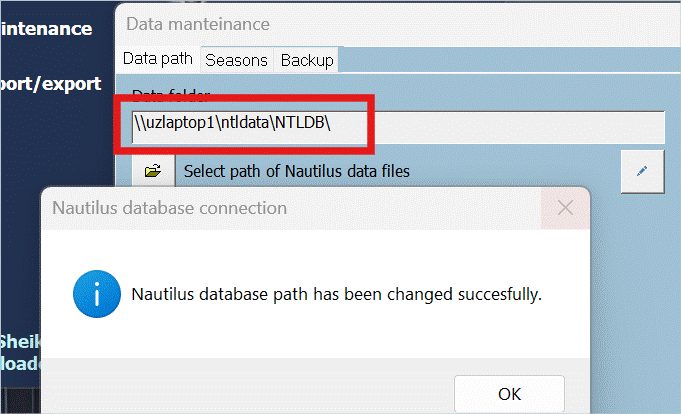
- Click the edit button
(pencil) and enter the shared network path that you taked note before
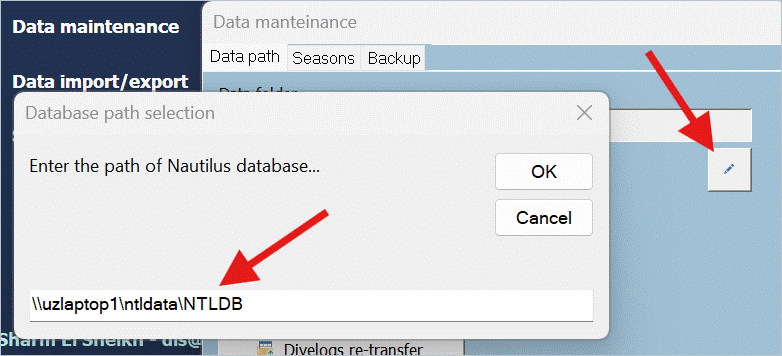
- Click OK and in the
Nautilus bottom information bar you will see a message saying “DB
connection...”. At the end of the operation you will receive a
confirmation message.